Problem: Dimensional modeling is the preferred method of organizing data in OBIEE but at times the standard configuration for a dimensional star does not represent the way data is collected in the source system.

Traditionally, a star schema has a single fact table with many dimensions. The dimensions are related to many fact records in a one-to-many relationship to the fact. However, sometimes the relationship of the data is many-to-many. An example for this comes from the healthcare industry where one doctor visit record can be associated with multiple diagnosis codes.
We encountered such relationships at a recent project. One of the source systems at this client captured incident data. A traditional star schema did not meet our client’s requirements because this source system collected key measures at an incident grain but there was a need to analyze these measures at a grain below the level at which they were created. The incident data was organized into a six level hierarchy, each of which with a one-to-many relationship to the level below. All the important KPI’s were captured at the incident level. As can be seen in the hierarchy diagram below, an incident is the summary level (top level) of data collected.

We had to create reports at a detail level called “cause of incident” for damages or injuries captured in aggregate at the incident level. The challenge was to attribute all damages in an incident to each cause without double counting damages or injures at the grain being reported.
First, we created Incident, Shipper, Product, Container, and Cause dimensions. Next we created an incident fact table that held all appropriate measures. We then created bridge-tables for each dimension with a many-to-many relationship.

Unfortunately, bridge-tables require a weighting factor. Since the measures existed in the source system only at the summary level, the weighting factor would not correctly attribute fatalities to each detail level item. For example, an incident with 2 fatalities occurred. The incident was attributed to have been caused by an accident and fire. When counting the number of deaths because of fire the business rule is to count 2 for fire not 1 as a weighting factor of .5 would do.
So we decided to trick OBIEE. The picture below shows the central fact with many helper tables that are 1:M from the fact.

However, by leaving the join as a 1:M OBIEE treats the helpers as separate facts. The performance is awful and it does not aggregate correctly. So we changed the relationship to 1:1 and it worked. Because it is an inner join the SQL sent to the database returns the correct number of rows and OBIEE still think the fact is a fact.


The downside is that grand totaling does not work correctly, which did not cause a problem for our requirements, though. If your client’s business rule is to attribute summary level measures equally across the details then a bridge table will work with the appropriate weights. If you need to have multiple many-to-many details using un-weighted summary level measures this solution will work. In summary, this method may not work for every project but for some business requirements it will make a challenging scenario work.
Please contact us if you have any questions.


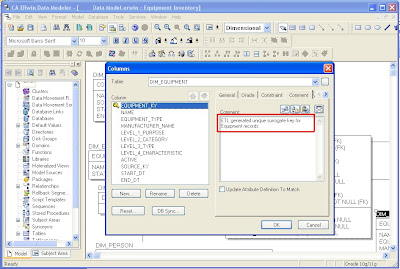
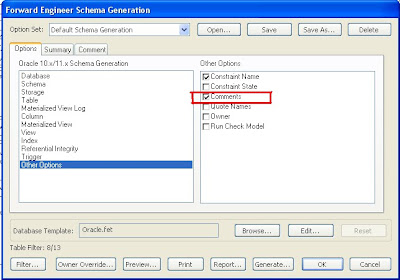
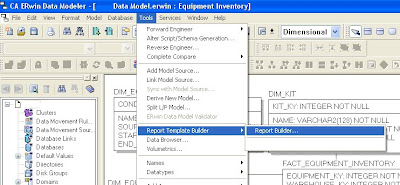
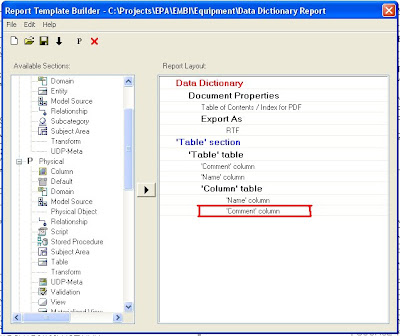
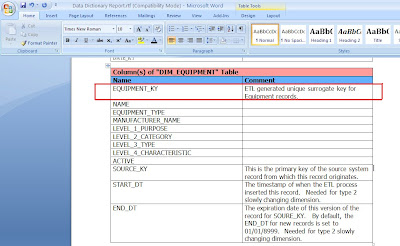
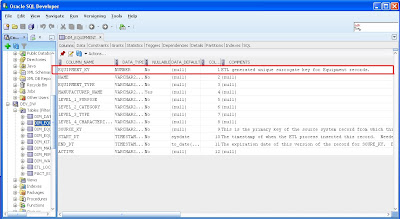 Step 4: Use ERwin’s Report Builder to create a Data Dictionary document. Report Builder queries the ERwin data model to create high quality PDF, Word, XML, or HTML documents that can be used as client deliverables. The screenshots below show the basic steps and a sample RTF output file.